
Manual vs. Automated Scheduling: A Time-Saving Comparison.

Building schedules for groups and staff members has always been one of the most time-consuming administrative tasks. As any Program Director knows, the process of creating your weekly schedules involves far more than simply filling in boxes on a grid! It requires the institutional knowledge that is unique to your camp — how many groups can go to Arts & Crafts? Which age groups can be assigned to Swim Instruction at the same time? Which activities can co-occur, and which ones can’t? These are just a few of the important details that can easily get lost. You need to make sure assignments don’t overlap and that you haven’t created any conflicts. And just when you think you’re finished, you receive word of a last-minute change in availability.

Traditionally, this has been done with pen and paper—or in a spreadsheet—requiring days of careful planning and revisions. But with the availability of scheduling software, organizations now have tools that can drastically reduce the amount of time and effort spent on this task. Let’s compare the two approaches.

Morning in the Office: The Old Way

It’s 8:00 a.m. on Thursday. You sit down at your desk with coffee and start penciling in activities: Group 1 at swimming, Group 2 at archery, Group 3 at arts & crafts. Looks fine—until you realize your lifeguard also teaches arts & crafts. Whoops. Erase, reassign, shuffle.

At 4 p.m., your desk looks like a battlefield—papers everywhere, eraser crumbs scattered, and your “final” schedule already on version four. By the time your schedules are done without errors, conflicts, or holes, it’s Saturday morning, and you need to have your schedules printed or emailed by the end of the day.

Manual Scheduling: The Time Drain

Collecting Information
After you have all of your groups, you have to create your schedule, usually in Excel or Google Sheets. You need to plan and assign your time periods for each day of the week, and then create that weekly schedule for each week of your summer session(s).

Building the Schedule
Once the grid is created, the actual construction begins. On paper, this can look like a puzzle—placing groups into time slots, assigning staff to cover them, and erasing or starting over when something doesn’t fit. Which groups go to lunch together and at what time? When do the groups go to Swim Instruction?

Cross-Checking for Errors
Every individual's schedule now has to be checked. Group schedules have to be checked against the activity schedules. Do the times and assignments match? Did you accidentally overbook the archery range? Is the Activity Specialist available? The possibilities for errors are endless. Manually, this process is prone to error and requires constant rechecking. A single mistake can ripple through the whole schedule, forcing repeated edits.

Revisions
By the time the schedule is finished, you’ve spent countless hours cross-checking, erasing, redrawing, and emailing updates. And if someone calls out sick, a storm closes the waterfront, or any new conflicts emerge, the process often means going back to square one. What started as a single change can turn into hours of redrafting.

The New Way: Automation at Work

Now let’s fast-forward to a Camp Director using scheduling software.
Staff log their work availability online, campers’ preferences are uploaded, and activity details are stored in the system. Everything is neatly collected in one place. When it’s time to build, you don’t sharpen a pencil—you click “Schedule.”

In minutes, you have a complete schedule. The software has already checked for conflicts, balanced activities, and flagged empty spots. What used to take days now takes less than an hour.

Need to make changes? No problem. Delete or replace an activity, clear the schedule if needed, and re-click “Schedule.” The system rebalances instantly, and you can generate all your new schedules in moments.

Automated Scheduling: A Time-Saving Approach

Camptivities Scheduling Software changes this entire workflow.

Automated Schedule Generation
Instead of manually trying to fit puzzle pieces together, the software uses algorithms to assign groups and staff into available slots. It takes into account preferences, workloads, and rules to build a working schedule in minutes, not hours.

Conflict Prevention
One of the biggest benefits of automation is error reduction. The system can flag or prevent double bookings, ensure compliance with workload limits, and highlight gaps that need to be filled. What used to require painstaking cross-checking is now handled instantly.

Easy Updates and Adjustments
If changes are needed, the software can quickly regenerate or adjust the schedule without starting from scratch. Updates can be shared digitally, keeping everyone on the same page in real time.

When it’s time to build the schedule, you don’t spend hours with pencils and erasers—the software does the heavy lifting, dropping each group and staff member into the calendar automatically. It checks for conflicts, spreads out workloads, and even flags gaps you might have missed.

Instead of squinting at a messy paper grid, you’ve got a polished schedule in minutes. And when someone’s availability changes? No problem. You hit a button, and the system rebalances everything without undoing the entire week.

Why It Matters

The difference between pen-and-paper scheduling and software isn’t just convenience—it’s sanity. With automation, you save hours (sometimes days), avoid conflicts, and spend more time focusing on the fun parts of camp.

At the end of the day, summer camp should be about kids running, laughing, and making memories—not directors drowning in scheduling chaos.
Manual scheduling is a puzzle that drains hours and energy. Automated scheduling is a solution that gives directors, staff, and campers a smoother, more enjoyable experience.

And when the choice is between erasers in the office or laughter by the campfire, the answer is pretty clear. Automation doesn’t just save you time—it gives you back the reason you got into camp work in the first place.

The Bottom Line

While manual scheduling has worked for decades, it’s inefficient and error-prone in today’s fast-paced environment. Automating the process with scheduling software saves hours of administrative time, reduces stress, and improves accuracy. Instead of spending days juggling schedules, directors can focus on what really matters—running their programs smoothly and supporting their staff and participants.

Simple KPI’s to Guide Your Camp’s Growth

Turning Camp Values into Measurable Success

Fall has finally settled in. The temperatures are dropping, the leaves are changing color, and it’s time to decide: is your camp going to make changes for this upcoming summer?

Every year, camp owners step back and ask: What’s working? What should we adjust? The hardest part can be figuring out which direction to take your business next. One helpful tool for that process is developing key performance indicators (KPIs).

If that sounds too “business-y,” don’t worry. Camps are often values-driven and mission-driven, so it can feel a little uncomfortable to bring corporate jargon into your camp office. KPIs are simply a way of measuring if what you’re doing is working. When you align them with your mission, they help tell the story you already want to share about your camp.

An Example: How to Build a KPI

Camp Sunshine is tracking camper absences this session, and one group seems to have far more absences than the others.

After looking closer, they notice the counselor was sick for half of the session.

Maybe campers felt less connected when their counselor changed mid-session.

So, the camp decides to:

  • Strategize how to build connections when a counselor is absent.

  • Train leadership staff to build connections with the campers of counselors they oversee.

  • Track absences in groups with missing or changed counselors moving forward.

(Based on discussion in Camp Owners Podcast, episode #68)

What Are KPIs?

Forbes defines a Key Performance Indicator (KPI) as:

“A measurement used to define whether an organization, team, or employee is meeting a predefined goal.”

At its core, a KPI is a simple measurement that helps you see whether you’re moving toward your camp’s goals.

Start With Your Mission and Goals

Before choosing what to measure, step back and clarify your mission. Ask:

Mission: What is your camp really here to do?

Goals: What objectives or outcomes flow from that mission?

For example:

  • If your mission is about community and belonging, a KPI could be the percentage of campers who report making a new friend.

  • If your mission is about growth and skill-building, a KPI could be the number of campers who improve their soccer skills, teamwork, or leadership.

  • If your mission is about employing high-quality staff, a KPI might track how your best staff first learned about your camp.

You might already be tracking some of these things without realizing it. The key is to make them intentional and measurable.

Choose and Refine Your KPIs

Here are some practical areas where camps often start:

  • Enrollment & Retention: Do we have a high first-year enrollment rate but a low return rate for second- or third-year campers?

  • Camper Journeys: Are campers staying in the same friend groups (or cabins) year after year?

  • Staff Retention: How many staff returned this year? Were returning staff an asset this summer?

Don’t stop at “Did enrollment go up?” also ask, “Did returning campers increase?” That difference tells a much richer story.

Digging deeper turns vague numbers into useful insights. For example:

  • Enrollment: Enrollment dropped in one area code. Does the camp need to add a new bus stop there?

  • Camper Experience: What happens when new campers are placed in groups with mostly returning campers—do they feel included or left out?

  • Staff Quality: How long do you retain your “super staff”? Is it more valuable to have a brilliant counselor for two summers or a steady team that returns year after year?

The more specific the question, the more actionable the data.

Define Success

Once you know what to measure, decide what “success” looks like.

  • Enrollment Success: Absences are down after focusing staff on building relationships with campers.

  • Camper Experience Success: 90% of first-year campers report trying something new by mid-session.

  • Staff Success: 88% of counselors report feeling connected to campers and staff.

If you’re new to this, start small. Choose one goal that matters most this fall—success builds from there.

Track and Share Results

KPIs work best when you can track them consistently over time, building data trends:

  • Year-over-year comparisons: How does this summer’s first-year enrollment compare to the last few years?

  • Surveys: Collect feedback from parents, campers, and staff—both formal and informal.

  • Leading indicators: Focus on signals that predict outcomes. For example, making a phone call to new camper families in the first week can predict higher feelings of belonging.

Pro tip: Data collection doesn’t have to be fancy. Even a staff check in with campers between periods and reporting back can give you valuable insights.

“The goal is to be data-informed, not data-obsessed.”*
— Ryan Rosen

Get Your Team On Board

KPIs aren’t just for camp directors. To be effective, your whole team should understand and contribute.

  • Use staff training to introduce your KPIs (or call them “outcomes” if that feels more natural).

  • Give leadership staff ownership of specific goals and have them report back on their progress.

  • Share results with staff and parents so everyone can see the progress your camp is making.

Refine, Reflect, and Act

KPIs aren’t set in stone. Keep asking:

  • Is this measurement helping us tell our camp’s story?

  • Is the data accurate and meaningful?

  • Do we need to adjust what we track?

“The goal is to be data-informed, not data-obsessed.”

Numbers are tools to support your mission — not replace it.

Bringing It All Together

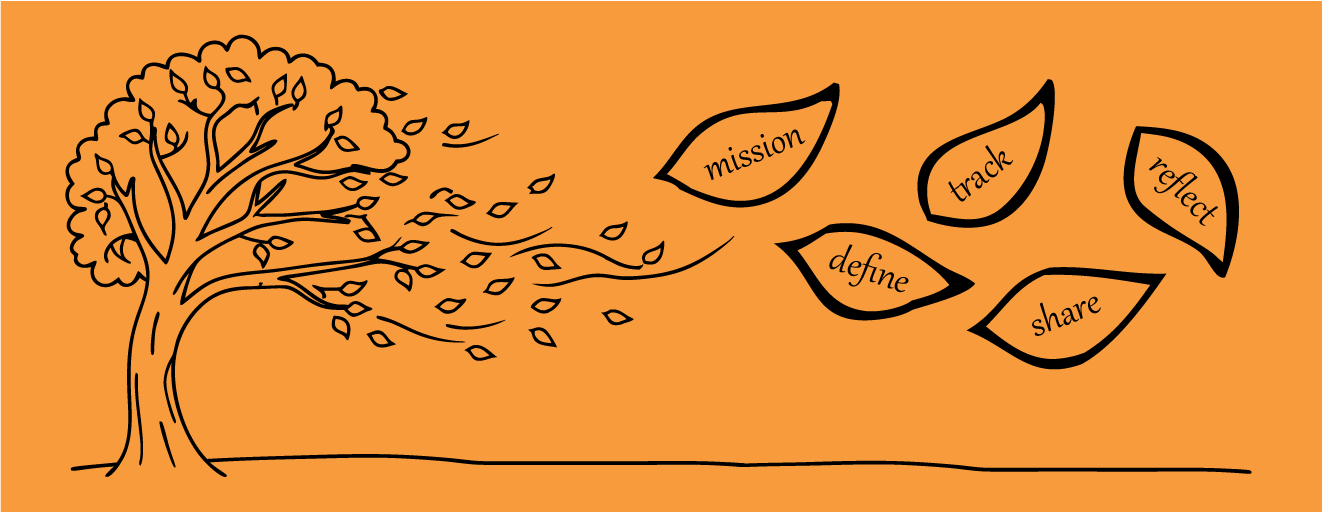
Like the trees changing color in fall, data can reveal patterns you might otherwise miss. KPIs give you a framework to notice those patterns, reflect on what’s working, and take action so your camp grows stronger every year. To learn more about what to do with the KPI data you collect, check out 

By connecting your mission to measurable goals, you can make better decisions—and tell a more powerful story about the impact camp has on campers, staff, and families.

For a deeper discussion about finding the right KPIs and using Business Intelligence to meet your camps goals, check out our blog post Evaluating Your Summer Through the Lens of Business Intelligence or the Camp Owners Podcast, episode #68 - Turning Camp Data Into Better Decisions - with Ryan Rosen.
Links on: Spotify | ApplePodcasts | Website

Employee Highlight: Cameron Jones

Once you learn a bit about Cameron Jones, it’s hard to pin him down. He’s a hands-on system architect who can untangle the most complex challenges, yet he’s just as at ease tending his garden, carving through fresh powder on his snowboard, painting an art piece, or playing one of his eight or nine instruments. At Camptivities, he’s our Chief Technology Officer and a co-founder. He prefers to remain behind the scenes, but today he is our employee highlight.

The Beginning of Camptivities

Cameron’s journey with Camptivities began when fellow co-founder and kickball teammate Ryan Rosen faced a challenge. The woman who had been making his camp’s schedule for many years was about to retire. Her process took days, and no one else knew how to replicate it. Ryan wondered if software could solve the problem, as long as it was built specifically for camps.

When Ryan approached Cameron with the idea, Cam remembers thinking, “I thought it was definitely possible, and probably easy. How wrong I was.”

That was back in 2013. That first summer, they managed to build something that worked. As Cam recalls, “It took about 47 minutes for the autoscheduler to run that first summer, now it takes 14 seconds.” Early on, he and Ryan leaned heavily on feedback from other camps. They quickly realized they’d need features like camper-specific scheduling and the ability to assign staff to activities. That feedback helped catapult Camptivities toward what camps really needed from an autoscheduler.

Camp staff have a higher value and higher rewards than sitting in front of an excel sheet.
— Cameron Jones on why camps need scheduling software.

A Philosophy Built on Experience

His customer-first mindset comes from a long career in tech, beginning with an internship in 1999. From his experience, “often engineers don’t realize until they are at the executive level that it’s not important if the customer doesn’t care.”

That perspective is what he passes on to new engineers at Camptivities and at his consulting firm, 23 Limes. “The most important thing for them to understand is the program domain.” Cam wants them to ask what the problem is that they are trying to solve and to see the features they create through the customer’s eyes. As Cam explains, “so much software gets shelved after a year because engineers don’t know what they are building.”

The Creative Process

The best part of Cameron’s workday is when he gets a stretch of uninterrupted time to solve a problem. Before rewriting the Camptivities autoscheduler, he cleared his schedule for weeks to allow time for deep thinking.

“I just stared at my white-board for days. I would write, go for a walk, look at my garden until I had an insight moment.”

From the outside, it may have looked like Cam was doing nothing; he was actually making “chess-moves” in his head, fitting every feature into an algorithmic model. Once the breakthrough came, everything clicked. “the coding went fast, it just flows. Once the problem has been solved it’s such a different feeling”

#1 Understand the domain.
#2 Remember—it’s just code.
— Cameron Jones's advice for new engineers

Advice to Live By

When asked if he had a bit of advice for others, true to form, Cam paused to think carefully. “Find any activity—whether it’s working or a hobby—that is something that really satisfies you.”

He likened this feeling to when a key fits into a lock and all the pins fall perfectly. “I felt this recently playing drums and the beat went perfect with the music.” Just as he experiences a flow state with coding, his encouragement is universal: “Try to follow that feeling and you will build and do better stuff. You’ll have fun with it.”

What Cameron's Co-Workers Say

We asked some of Cam’s co-workers to share their thoughts, here’s what they had to say:

  • “I’ve learned from Cam that there is always a solution to a problem, that you can’t give up on the answer.” 

  • “Cam is always patient and takes the time to make sure you understand not only how to do things, but why things are done a certain way.”

  • “Cam always starts with what will that do for end user? He wants the end-user have an impactful experience while using Camptivities.”

  • “If you ask a question he'll patiently explain things to you without making you feel less than for not knowing.”

  • “Whether it’s about computers, programming, his passion for gardening, music, or snowboarding, he wants to help others learn and achieve.”

  • “When he knows it’s the right solution, there’s no stopping him.”